Welcome! HTML Executable is an ebook, HTML and website compiler for Windows. This website at www.htmlexe.com is the homepage of HTML Executable 3.3.
 Updated samples & new tutorial
May 2008: some samples were updated and a new screencast tutorial about converting photo albums or web albums to EXE files is available. All users should upgrade to HTML Executable 3.3.1; version 3.3 is a major release with many new features and enhancements like - better support for Windows Vista and Internet Explorer 7 (including Vista SP1).
- Adobe Flash video FLV support.
- new window (popup, window.open...) and skin options + new skins.
- improved search engine, TOC editor and toolbar editor...
- browse sequence for publications.
- new compatibility option for some Flash objects.
- and much more.
|
| Upgrade is free for all registered users: please see the release notes on the download page. 
Stay informed by signing up for our RSS feeds or our newsletter.
Get CHM To Exe: convert Microsoft HTML Help files (.chm) into executable files with HTML executable.
» What is HTML Executable?HTML Executable is a powerful and versatile HTML compiler that turns websites (or any group of HTML pages) into single executable files which are real stand-alone Windows applications that mimic a normal web browser. Create unique full-featured ebooks, presentations, digital publications, CD autoruns, demonstrations, documentation or compact archives for easier, efficient and secure distribution of your websites. 
While HTML documents are normally associated with the Internet, they are also very useful for displaying all kinds of textual material such as documentation, help files, tutorials, etc. HTML Executable lets you transform these HTML documents and their related files into real .exe files. All source files (HTML, graphics, media, scripts...) are strongly compressed in order to make compact executable files useful for distribution or archiving purposes, without losing performance. HTML Executable is the sole HTML compiler to let you select between three "classes" of executable files to create: Self-Extracting, digital publications featuring a built-in HTML Viewer or ebooks having the same navigation features as Microsoft Internet Explorer. While the majority of HTML compilers only offer you ebooks based on Internet Explorer, HTML Executable lets you both create ebooks that depend or not on Internet Explorer, according to the features you need for your compiled website. Three styles of ebooks in one single product only!
Your compiled websites may contain HTML pages, graphics, DHTML, JavaScript, CSS style sheets, text documents, animated GIF files, Adobe Flash SWF animations (Flash video FLV is supported), Adobe Reader Acrobat PDF files, Windows Media Audio and Video WMA/WMV files, music, video and audio files (MP3, WAV, MID, AVI...), other document types are also handled like Microsoft Office documents, PowerPoint presentation PPT files... Depending on the features your website requires, you will need to select the style of ebook you want to create.
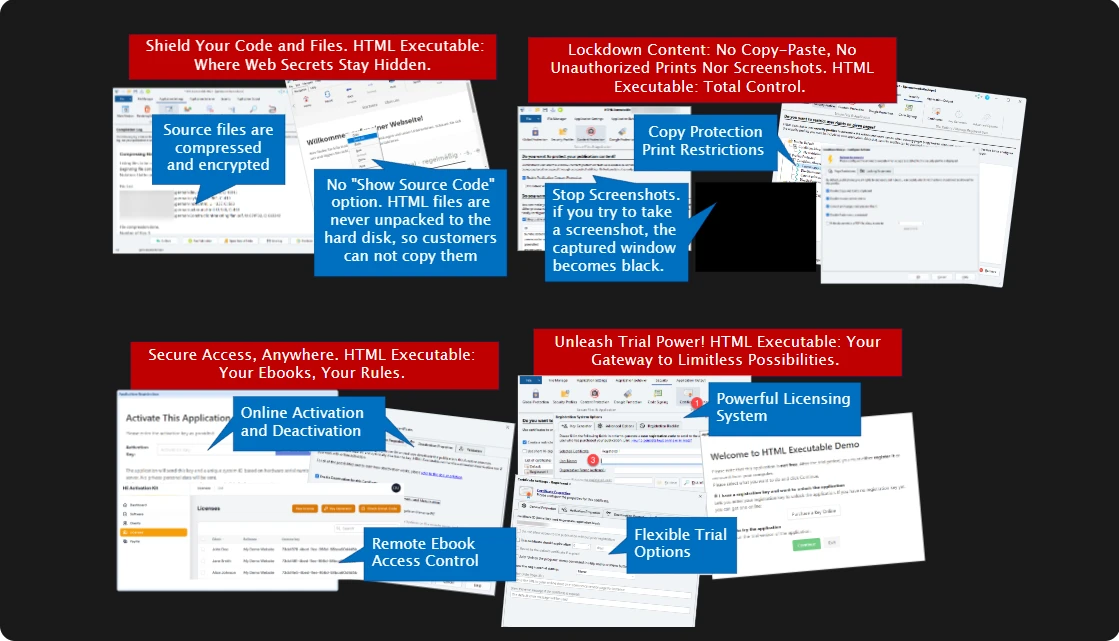
» Feature-rich and versatile: create customized ebooks! Everything of the compiled website ebook can then be customized according to your needs: apply skins to the user interface - HTML Executable provides real skin support for your ebooks; use scripting to control behaviors; protect your pages using security profiles to create trial ebooks and restrict user rights (the context menu can of course be disabled); display splash screens or messages; add a table of contents, a powerful search system and a favorite manager; change the icon, the version information of your .exe files; code sign them with Authenticode, and much more!


Examples of what you can achieve with HTML Executable. Download and test fully working ebooks & digital publications made with HTML Executable HTML Executable is mostly wizard-driven: its intuitive interface lets both inexperienced and advanced users get the most of their first ever executable website. Give HTML Executable a try today: download the fully functional Trial edition.
See the feature tour, screenshots or screencasts (video)
Purchase a license now
Check out our wiki (FAQ, samples...)
Download HTML Executable
|